Documentation

Setup

My current workstation + homelab setup, in one place.

Source of truth

I update this page when I actually change gear, tooling, or topology.

How to use

Jump with the anchors above, or read top-to-bottom for the full setup picture.

Setup Overview

This is my single source of truth for what I run every day. I keep it practical and update it when I actually change something.

  • Workstation automation lives in dotfiles.
  • Homelab infrastructure lives in home.io.
  • Goal: fast workflow, repeatable rebuilds, and less guesswork when things break.

Hardware

Computers

Sherlock (primary desktop)

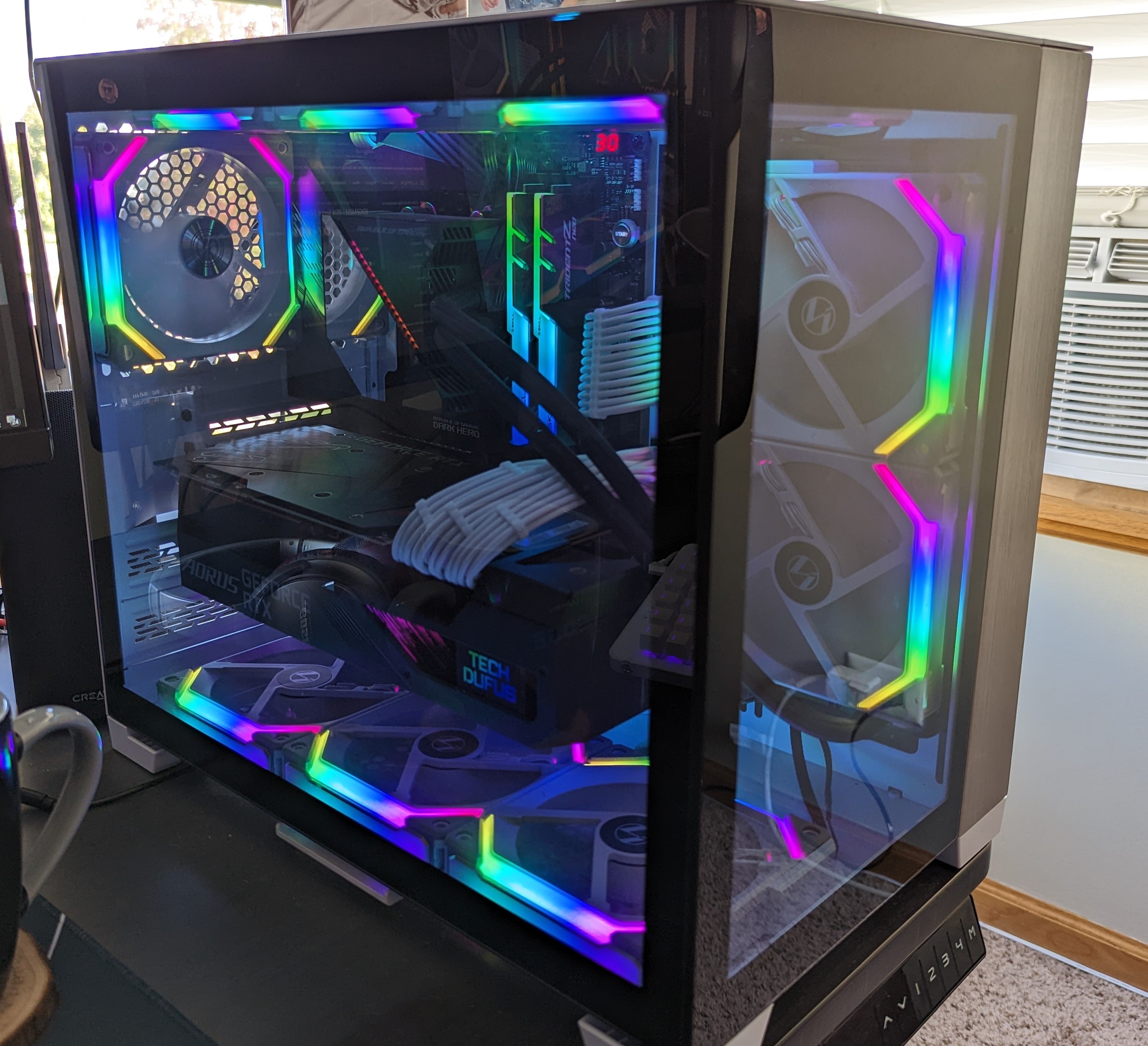
Sherlock is my main desk machine. Custom build, dual-boot Windows 11 + Linux.

ComponentItem
CPUAMD Ryzen 9 5950X 16-core
GPUAORUS GeForce RTX 3080 MASTER 10G
RAMG.SKILL Trident Z Neo 64GB
MotherboardASUS ROG Crosshair VIII Dark Hero
CoolerASUS ROG Ryujin 240 AIO
CaseLian Li O11D Mini
FansLian Li UNI Fan SL 120
StorageSamsung 980 PRO NVMe (1TB + 500GB)
PSUCooler Master V850 SFX Gold

MacBooks

Displays

I currently run mostly on a single ultrawide for focus.

Peripherals

Software Workflow

Terminal-first session flow

I spend most of my time in terminal sessions:

  • Terminal: Ghostty
  • Session manager: sesh
  • Multiplexer: tmux (+ resurrect/continuum)

I usually hit <prefix>-o, fuzzy-find where I need to be, and let sesh attach/create the session.
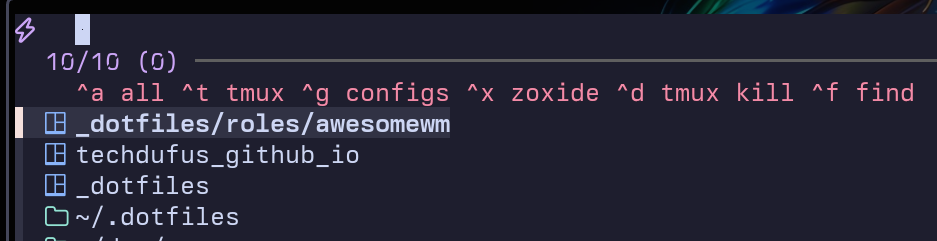
sesh picker showing fzf interface with keybind hints and session list

For tmux navigation I use Ctrl+hjkl (via vim-tmux-navigator), and I sync panes when I need to run parallel commands.

tmux status bar showing session name, directory, window tabs, Claude status, and online indicator

Editor + shell stack

  • Editor: Neovim with LSP, Treesitter, Telescope.
  • Shell: zsh + powerlevel10k + custom functions for git/k8s/remote edit workflows.
  • Infra tools: Terraform, Terragrunt, Helm, kubectl, cloud CLIs.

Window management

I use a cell-based layout with summon keys, not traditional manual tiling.
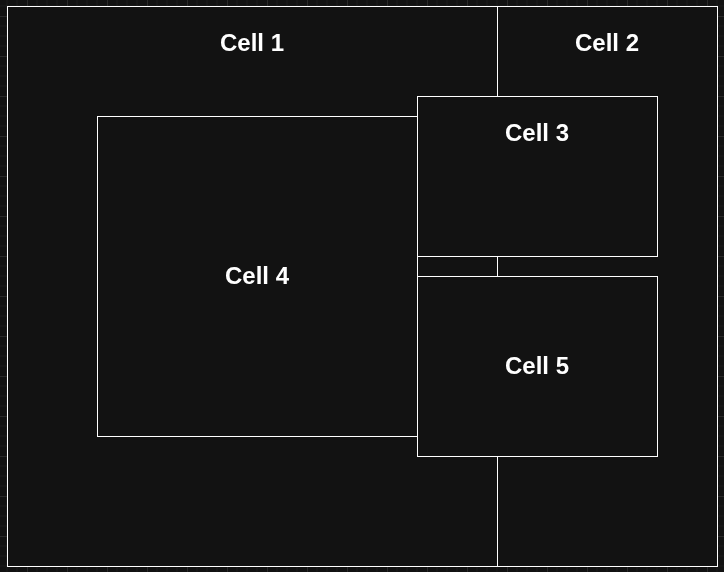
Cell-based window layout showing 5 predefined screen regions

On Linux this runs through AwesomeWM automation; on macOS through Hammerspoon. Same mental model across both.

Agent workflow tooling

  • Claude Code with custom hooks and status integration in tmux.
  • oh-my-claude for sane defaults and repeatable workflows.
  • openkanban for tracking parallel agent sessions.
  • MCP servers for browser checks/docs/context plumbing.

Homelab

My homelab is built for repeatability, not hand-tuned snowflakes.

Hardware at a glance

ComponentSpecs
ComputeDell PowerEdge R720xd (40 threads, 256GB ECC RAM)
NetworkUniFi UDM Pro + U7 AP
StorageUNAS Pro 8
EdgeRaspberry Pi 4B (8GB)

Architecture

  • Proxmox VE hosts a 3-node Talos Kubernetes cluster.
  • GitOps via ArgoCD.
  • Traefik ingress + HA Cloudflare tunnels.
  • MetalLB, Pi-hole DNS, local + NFS-backed storage patterns.

Workloads + rebuild path

I run 25+ services including Immich, dashboards, self-hosted runners, and an observability stack.

Everything is declarative through home.io using Terraform + Ansible + ArgoCD. If I lose a node, I rebuild from git.

Wiring Diagram

Quick map of the desk wiring path:

[Moonlander Keyboard] --USB--> [USB Switch]
[C925 Webcam]        --USB--> [USB Switch]
[MX Master 3]        --USB--> [USB Switch]
[Rode NT-USB+]       --USB--> [USB Switch]

[USB Switch] ==USB==> [HP Dock]
[USB Switch] ==USB==> [Sherlock PC]

[CRG9] --HDMI--> [Sherlock PC]
[CRG9] --HDMI--> [HP Dock]
[HP Dock] --TB--> [MacBook Pro]